
.svg)
Cloud Management Software
for Gaming and Education Spaces
Control of devices, users, billing, and workflows — deployed in 1,500+ locations across 90 countries.
Centralized Admin Panel (CAP)
Cloud system that unifies device management, access control, pricing, sessions, and daily workflows. The panel keeps gaming and education spaces stable, enforcing operating rules and maintaining consistent structure across every environment.
%2520(1).png&w=1920&q=70)
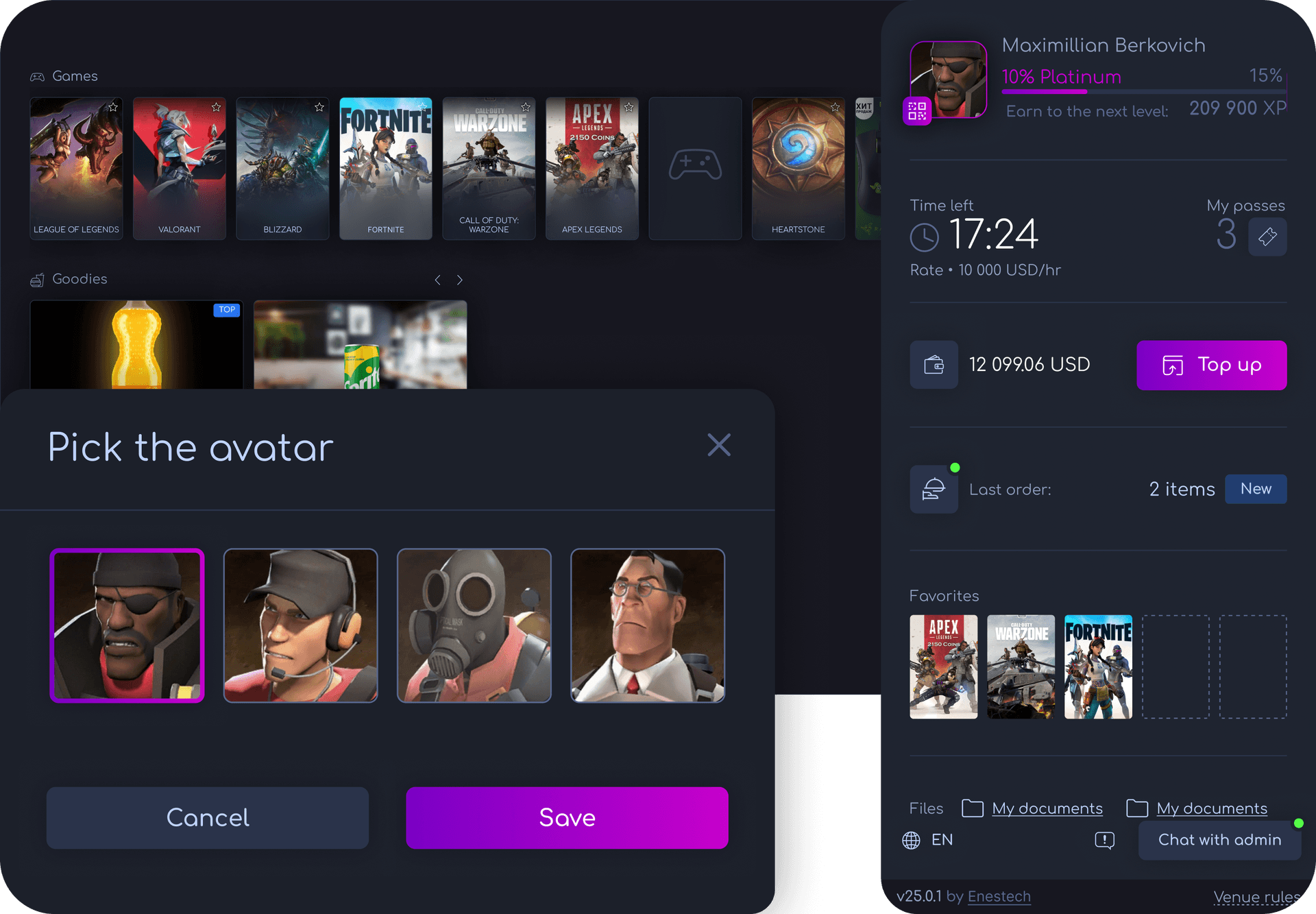
Client Interface (Shell)
Software layer installed on each PC or console that applies access rules, controls session start, and displays allowed content. The interface standardizes user behavior, keeps spaces predictable, and ensures compliance with organizational policies.
%2520(1).png&w=1920&q=70)
Run Operations with Full Control
Tools for stable management of devices, sessions, payments, and user workflows across gaming and education environments.

Unified control
All endpoints supervised from one system, keeping daily operations organized and predictable.

Flexible expansion
New PCs, consoles, or zones added instantly with consistent rules and structure.

Operational insights
A complete overview of revenue, sessions, device load, and player activity are displayed in real time and in one place.

Process automation
Billing, updates, and access rules executed automatically to minimize routine work.
Grow and Retain Visitors
Tools that increase activity, stabilize usage, and strengthen user engagement — all powered from the cloud.
.png&w=1920&q=70)
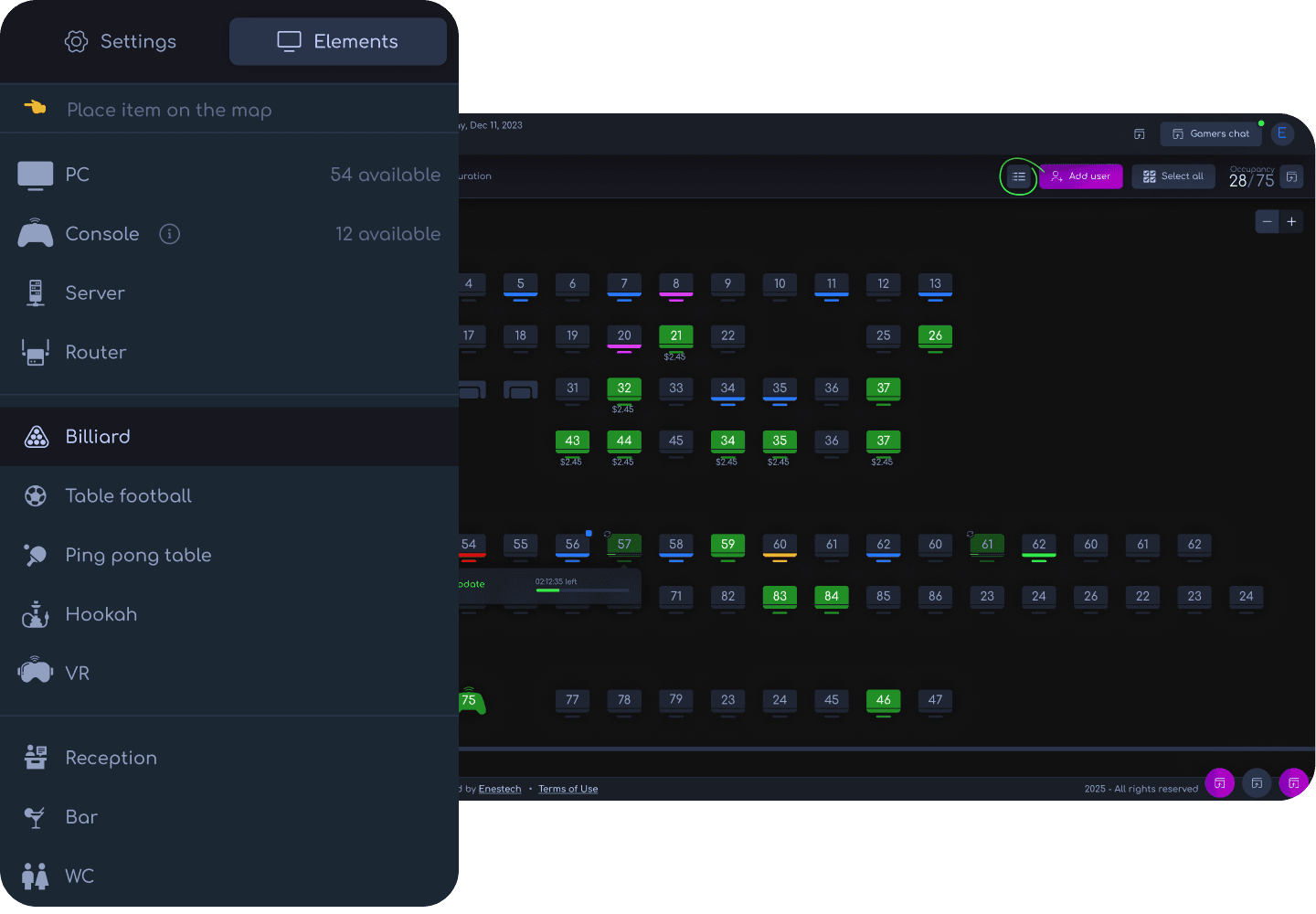
Gain Control
Streamline the management of all PCs, consoles, and zones through a single cloud platform — from anywhere.
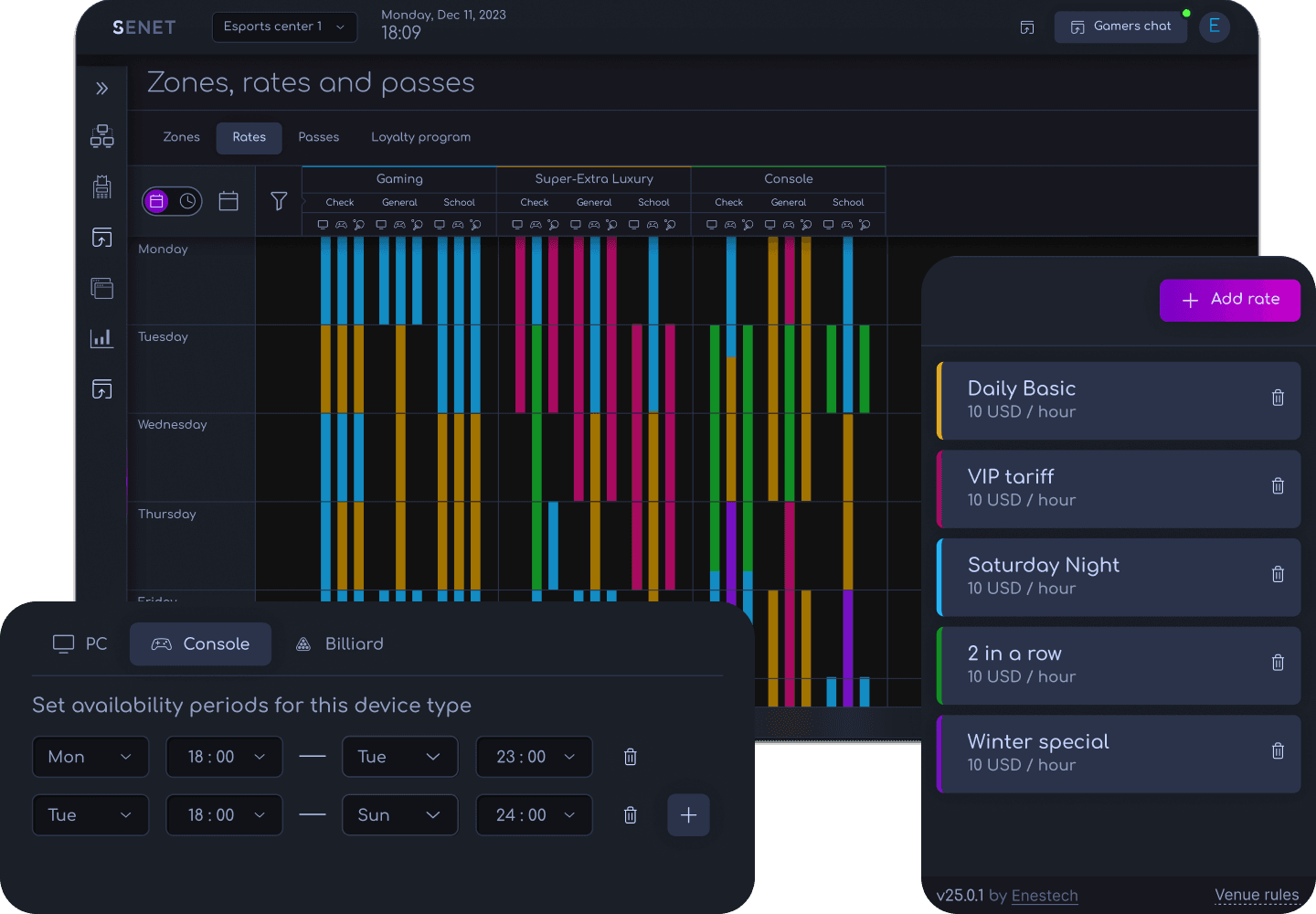
Boost Revenue
Unlock new income streams with flexible pricing, promotions, and integrated payments.
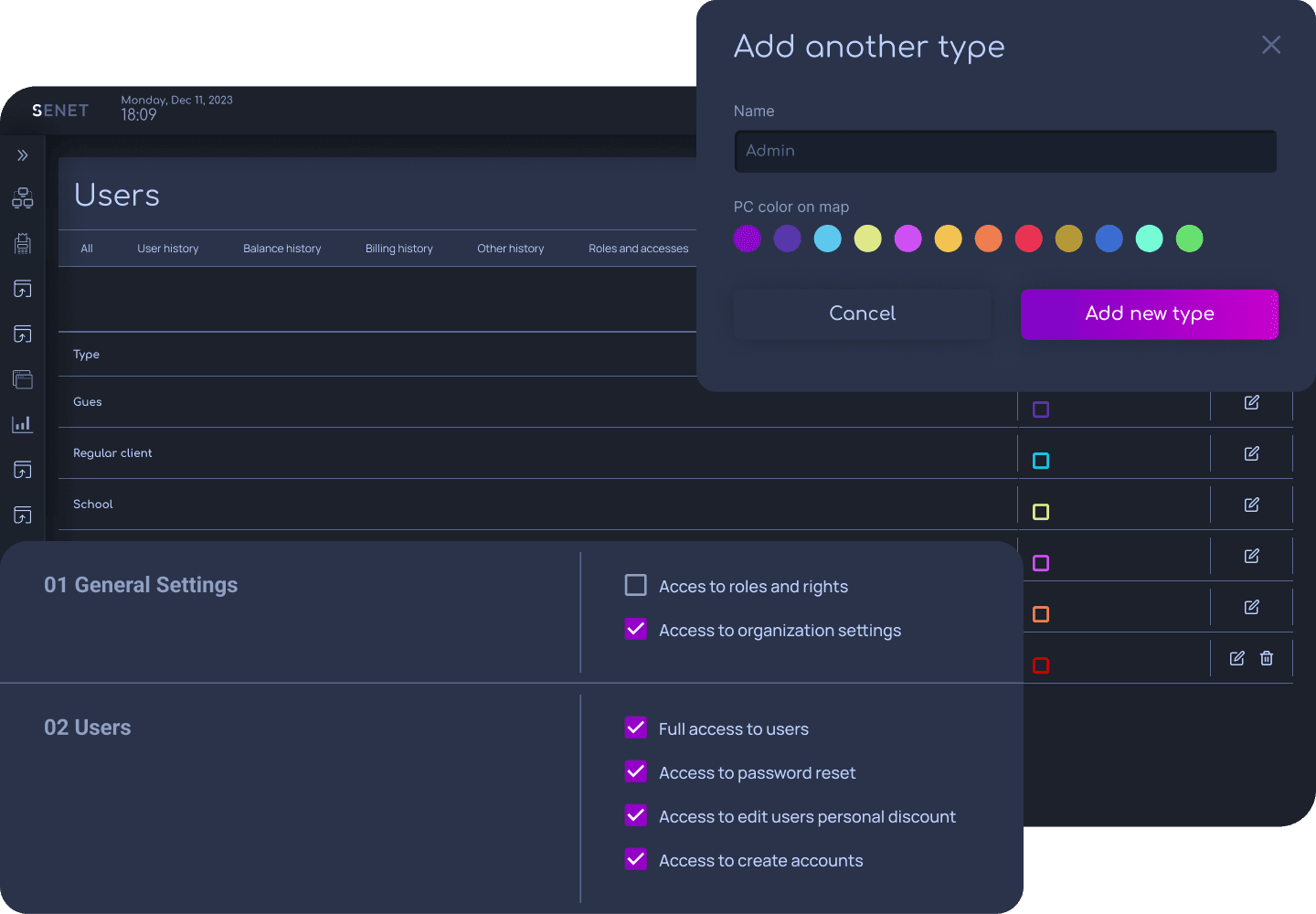
Keep Your Space Safe and Controlled
Protect players, equipment, and operations with role-based access and automated security controls.
Designed for Players

Fast access
Quick login, seamless payments, and instant seat reservation reduce queues and free staff time.

Personalized experience
Profiles with avatars, favorites, bonuses, and purchase history keep users engaged and encourage repeat visits.

Convenience at every step
Food, drinks, and service requests handled through the interface let users stay focused on gameplay while reducing operational interruptions.

Safe gameplay environment
Built-in protection for accounts, devices, and sessions maintains order and lowers risks during peak hours.
Improve Gaming Experience
Deliver smooth, fast, and hassle-free gameplay that keeps users engaged and reduces staff workload.
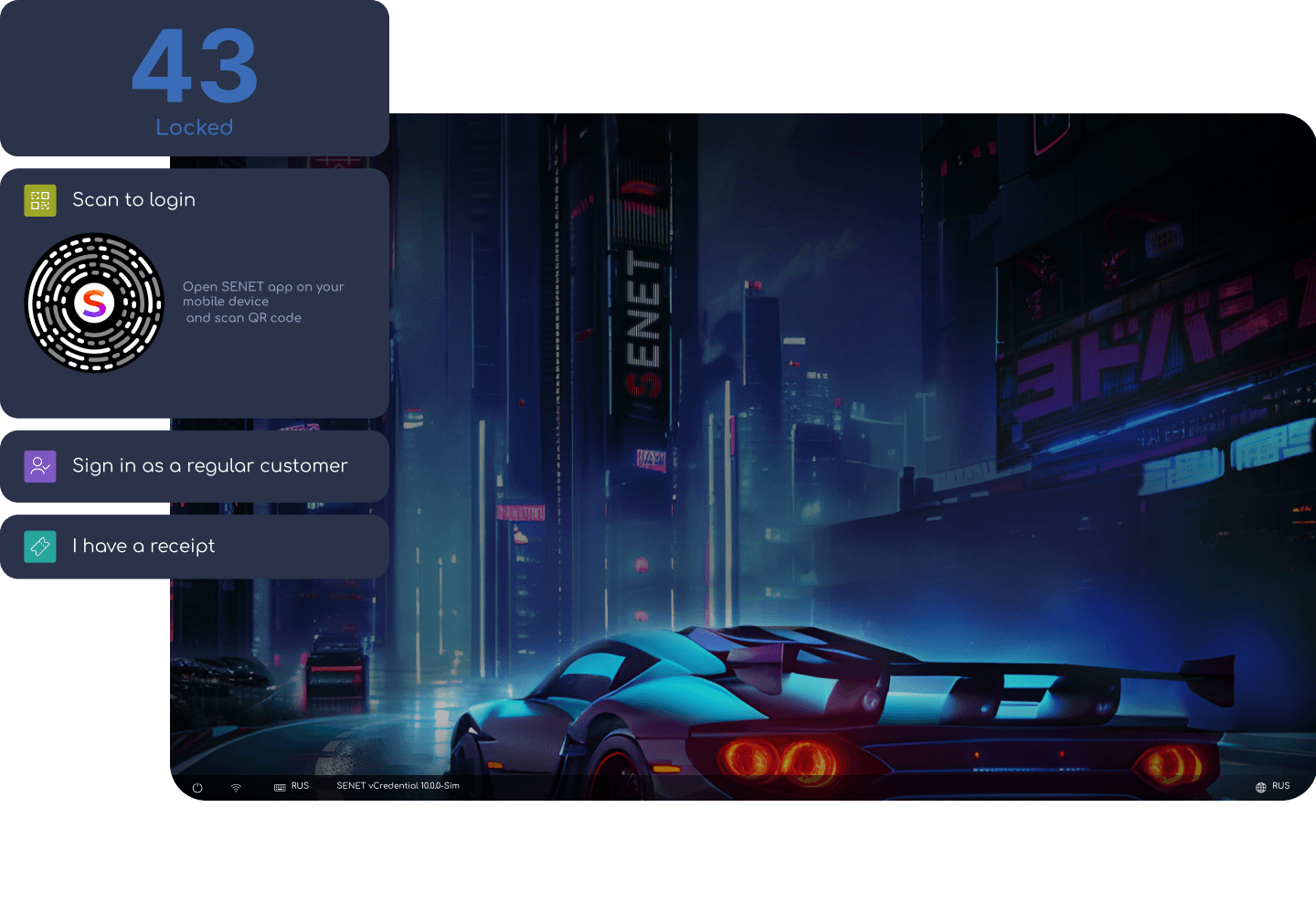
Make It Personal
Deliver comfort, personalization, and extras that make them stay longer
FAQ
What are the minimum PC requirements for software installation?
To install cyber cafe software SENET, the PC must have a clean installation of Windows 10 Pro x64 (without additional programs and third-party settings), all recent updates, and required components: DirectX, .NET Framework 4.8, and VCRedist 2015–2019.
More detailed information about hardware requirements for server PCs can be found here:
How do I download and install SENET?
E-launcher is a key part of SENET's gaming cafe software, consisting of the client side (Shell) and system utilities and services. This launcher must be installed on all PCs used by customers.
Installation instructions:
✔️ Download the latest version of the internet cafe software.
✔️ Temporarily disable antivirus software, as it may interfere with installation.
✔️ Run the software as administrator.
✔️ Enter the installation key and click “Install”.
✔️ Restart the PC.
✔️ Authorize the PC on your club’s map: open SENET’s internet cafe management software on the administrator’s computer, go to the club map, and activate "Technical mode".
✔️ Confirm authorization: after installation, the new PC will appear red on the club map. Click on it and confirm authorization.
✅ Done!
Can I migrate my existing user database to SENET after installation?
Yes, if you have an active subscription to SENET software for internet cafe, migrating your existing user database is possible. You can provide your database in supported formats (csv, mdf, xls). We will migrate essential user information: login, name, phone number, and email. Data migration from other formats is also possible but may require additional time.
Important considerations:
✔️ User balances are migrated as account balances (monetary funds) only; other balance types will not be migrated.
✔️ Passwords are not migrated; users will need to set new passwords.
✔️ Data migration requests are completed within one business week.
How does SENET help monetize a cyber cafe or gaming center?
SENET’s internet cafe management software provides tools to effectively manage your gaming center, automate processes, and maximize profitability:
✔️ Automated time management: Control PC and console usage time to reduce human errors.
✔️ Additional product and service sales: Offer snacks, drinks, merchandise, or other services and products through integrated sales tools.
✔️ Flexible pricing: Adjust prices based on time of day or gaming zones to optimize occupancy, increase profits, and attract new customers through discounts and promotions.
✔️ Analytics and financial control: Detailed reporting on income, user activity, popular games, and services to optimize your club’s operation.
✔️ Remote management: Owners can manage their business from anywhere in the world.
Does SENET integrate with gaming platforms like Steam, Epic Games, etc.?
Yes, SENET’s gaming cafe software integrates seamlessly with popular gaming platforms such as Steam, Origin, Battle.net, Riot Games, Epic Games, and others. This integration ensures quick access to popular games by using their platform-specific game IDs.
Can I manage SENET remotely?
Yes, SENET’s internet cafe management software can be managed remotely through a web interface accessible from any browser or device, enabling you to control and monitor your business in real time, regardless of your location.
Additionally, SENET provides a mobile app allowing players to independently manage their accounts, check their balance, subscription history, and bookings, edit profiles, and receive notifications directly on their smartphones.
Does SENET support diskless boot systems?
Yes, SENET supports working with other diskless boot systems such as CCBoot, and provides its diskless boot solution SenetBoot, which our team can help install and configure.
Does SENET support automatic updates for software and games?
Yes, SENET includes an additional Game Update module for automatic content updates.
To activate this module:
✔️ For diskless boot systems (SenetBoot), enable the "Automatic Update" option.
✔️ For disk-based systems, activate "Local update paths" and select the content drive. This will enable automatic content updates when PCs are idle or logged into the “Support” account.
What payment methods are available for SENET subscriptions?
You can pay for SENET subscriptions using:
✔️ Credit/debit cards (added to your account).
✔️ PayPal.
✔️ Bank transfers.
✔️ Cryptocurrency via crypto wallet.