.svg)

The subscription is the easiest line item to see in a gaming center software budget, but it is rarely the full cost. Friday night outages, manual game updates, and daily cash reconciliation all cost money too. They simply do not arrive as separate invoices. After a few months, these losses can start to feel like a normal part of running the business even when they are caused by limitations in the management system.
Before renewing your subscription or moving to a cheaper plan, calculate the total cost of ownership of your current solution. Look at how much time, revenue, and operational visibility it costs you. A short audit gives a more realistic answer than comparing pricing pages and helps uncover expenses that are not listed in the plan.
Start With a Quick Audit of Your Current System
Pull together your invoices, provider agreement, and at least one month of operating data. Then review the system across four areas.
1. Pricing and Contract Terms
- Does the amount on your invoice match the price you were originally quoted?
- How are licenses calculated: per PC, per device, or by gaming zone?
- Which features require a higher tier or an additional paid module?
- Do you have to prepay for 6, 12, or 24 months, and is any unused amount refundable if you cancel?
- Can the provider change pricing for existing customers?
List any separate charges for consoles, VR, servers, game updates, backups, the mobile app, online payments, additional reporting, and premium support. This is often where the gap appears between the advertised subscription price and the amount you actually pay.
2. Reliability and Support
Do not judge reliability from memory alone. Review support tickets from the last 30 to 60 days and record how many incidents occurred, how many stations were affected, how quickly support responded, and when each issue was actually resolved.
You can estimate direct downtime losses with a simple formula: occupied stations × average hourly rate per station × outage duration. If you could not accept payments or start sessions during the incident, add canceled bookings and any compensation given to customers.
The outage itself is not the only cost. If a staff member spends an hour messaging support and the owner has to step in to help resolve the issue, that time is part of the total cost even though it never appears on the provider invoice.
3. Manual Work
For one week, ask your staff to track the time they spend on tasks created or extended by the current system:
- updating games and checking stations one by one;
- restoring Windows or fixing settings after customer changes;
- processing off-system payments and starting sessions manually;
- applying discounts, bonuses, and passes;
- reconciling the cash drawer and preparing reports;
- copying data between different software tools or spreadsheets.
Even 30 to 40 minutes per shift turns into dozens of hours over a month. In a small gaming center, that workload may disappear into a staff member’s normal routine. As the business grows, it can lead to queues, mistakes, or the need to schedule an additional person.
4. Control and Scalability
- Can you see revenue, utilization, discounts, and staff activity without manually reconciling multiple reports?
- Can you manage PCs, consoles, VR, and other gaming zones from one system?
- Can you set different access levels for front desk staff, managers, and owners?
- Could you open a second location without building a separate reporting process or being on site every day?
- Can you export customer and financial data in a format that can actually be used for migration?
If every new location adds more admin panels, spreadsheets, and manual reconciliation, the software is not helping the business scale. It is scaling the existing operational problems.
Calculate the Full Cost, Not Just the Subscription
The real cost of gaming center software usually has five components:
- Subscription and licenses: everything you pay the provider on a recurring basis.
- Add-ons and fees: functions the business relies on that are not included in the base plan.
- Staff time: hours spent on updates, payments, reporting, and fixing avoidable issues.
- Downtime: revenue lost while the system or stations are unavailable.
- Operational leakage: cash discrepancies, incorrect discounts, off-system payments, and customer compensation.
💡A low subscription price is rarely low-cost if the gaming center loses staff hours and revenue every month because of the system.
You do not need to convert every problem into an exact dollar amount. A reasonable estimate is enough to show which costs repeat. If those recurring losses are close to or higher than the subscription itself, comparing software only by the price per station no longer gives you the full picture.
Problems You Should Not Treat as Normal Operations
Some issues are signs that improving internal processes alone may no longer be enough:
- games regularly require manual updates, and some stations remain unavailable after a patch;
- PCs have to be restored after customers change system settings;
- one staff member is expected to manage the floor, take payments, and reconcile the cash drawer at the same time;
- some payments happen outside the management system, so reports do not show the full picture;
- resolving an issue depends on one specific support representative or one experienced staff member;
- a second location, a new gaming zone, or a mobile app requires a separate product;
- the owner finds out about problems after the fact because there is no single dashboard or clear reporting.
One of these issues does not automatically mean you should replace the system. If three or four apply at the same time, however, it is worth comparing two operating models rather than two price lists: how the gaming center works today and how it could work with those processes automated.
How to Compare Software After the Audit
Ask your current provider the following questions. The answers usually reveal more about the real cost and manageability of the system than the pricing page does:
- What is the total cost for all stations and gaming zones?
- What is included in the plan, and what is billed separately?
- How are pricing and commercial terms fixed in the agreement?
- How are game updates, station recovery, and online payments handled?
- Which reports are available to the owner?
- How does support work during a critical incident?
- What changes when you open a second location and need multi-location management?
- How can you export your data, and what does the migration process look like?
It is more useful to compare systems through real operating scenarios than through feature checklists. Look at how a customer tops up a balance and books a station, how front desk staff start a shift and close the cash drawer, and how the owner reviews performance across locations. Those are the workflows whose cost you measured during the audit.
How SENET Helps Reduce Hidden Operating Costs

Once the audit is complete, it becomes easier to see where manual work, downtime, and disconnected processes create recurring costs. SENET tools are designed to reduce part of that operational load by automating station maintenance, bringing payments and reporting into one system, and simplifying control across gaming zones and multiple locations.
Less hands-on station maintenance. Game Update lets staff manage game updates from one panel instead of visiting every PC. For diskless infrastructure, SENET Boot loads stations from a prepared image, so after a reboot the working environment returns to the configured state.
Payments and reporting in one system. Customers can top up their balance, buy a pass, or book a station on their own. Payments, discounts, bonuses, and staff actions are reflected in reports, so owners do not have to rebuild the full picture from transfers, chats, and spreadsheets.
One panel for one or multiple locations. PCs, consoles, and other gaming zones can be managed centrally. Staff permissions are configured by role, while Owner Portal helps owners monitor performance across multiple locations without manually consolidating reports every day.
Switching Software Should Not Disrupt Operations
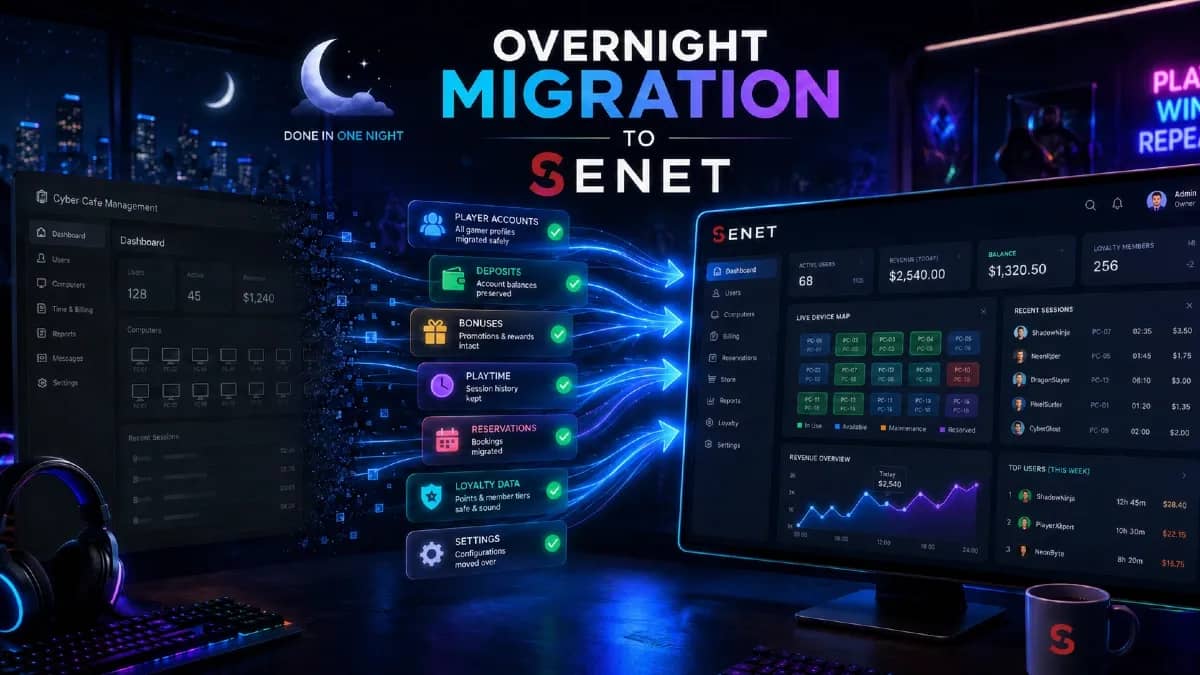
When you switch to SENET, our team handles the migration process. You provide an export of your customer database, we review its structure, and we let you know if anything needs to be corrected. When the data is properly prepared, validation and import usually take 1 to 3 business days.
The final cutover is completed overnight after the gaming center closes. The prepared data is migrated, SENET is installed, and the stations are checked so you can reopen on schedule the next morning.
For multi-location businesses, the switch can start with one location. You can validate the workflows, train the team, and then migrate the remaining locations according to an agreed schedule.
Get a Preliminary SENET Migration Plan
To discuss a switch for your gaming center, share the number of stations and gaming zones, the software you use today, and the main operational issues you want to solve. During the consultation, the SENET team will help determine:
- which steps are required before the final cutover;
- which data needs to be prepared and confirmed for migration;
- which plan and launch scenario fit your current setup.
A SENET manager will review your setup, the main limitations of the current system, and your preferred timeline. After the consultation, you will have a preliminary migration plan and a clear list of next steps. Available free-period terms and the exact scope of migration work will be confirmed separately.
Get My Migration Plan →