.svg)


Customer data is one of the most valuable assets in a gaming center. It includes more than account records. It can contain prepaid balances, visit history, reward credits, passes, bookings, consent records, and the behavioral data you use to understand repeat customers.
But having that information inside your management platform does not automatically mean your business has meaningful control over it.
When customer accounts sit inside a marketplace-style platform, the provider may be able to recommend competing venues, market directly to your customers, or make data exports difficult when you decide to switch software. For an owner or operator, real control means practical access: current records, direct customer communications, clear export terms, and a migration process that preserves balances and active services.
Below, we explain what belongs in a gaming center customer database, how to assess who actually controls it, and what to check before moving to another gaming center management software platform.
What Is Included in a Gaming Center Customer Database?
A customer database is not a single list of names. It is a set of connected records, from login details to customer activity and transaction history. Most gaming centers should think about the data in four groups:
- Customer profiles and contact details: username, name or gamer tag, phone number, email address, registration date, and privacy or marketing consent.
- Account balances and transaction history: prepaid balance, reward credits, deposits, top-ups, purchases, and adjustments.
- Active entitlements: passes, time packages, discounts, loyalty tier, and current bookings.
- Visit and session history: visits, gaming sessions, payments, and the metrics used for operational and customer analysis.
What Real Control Over Customer Data Looks Like
You can evaluate how much control your business has by asking four practical questions:
- Can you get a current export? Your gaming center should be able to request an up-to-date export in a usable format and know how long delivery will take. Access should not depend on lengthy approvals or vague responses from the software provider.
- Who communicates with your customers? You should know who can send push notifications, email, or SMS messages and what recommendations customers see inside the app.
- Who can access the records? Permissions for your staff, the software provider's support team, and outside contractors should be limited by role and business need.
- What happens when you leave? Your agreement should explain the export process, how long you retain access after cancellation, and when the provider deletes remaining copies of your data.
🚩 Red Flags to Watch For
- The provider says the customer database is yours but will not show what the export includes.
- Customer contact details are available only inside the platform and cannot be delivered in a usable file.
- The customer app includes a directory, recommendations, or advertising for other gaming centers that you cannot disable.
- The agreement does not clearly state whether the platform may continue contacting your customers after you leave.
- The provider will discuss transferring balances and active services only after you terminate the contract.
Can Your Gaming Center Software Promote Competitors?
Some platforms use a marketplace or aggregator model. A customer creates an account with the platform itself and becomes part of a broader consumer ecosystem rather than a database used only by one gaming center.
Depending on the terms, the platform may recommend other gaming cafes, gaming lounges, or esports arenas, promote its own brand, analyze audience behavior across locations, or send marketing messages without your direct approval.
That can be a legitimate business model, but operators need to understand it before signing. Pay particular attention to what happens to the customer account and the provider's right to communicate with that customer after your venue leaves the platform.
🔒 Business risk: If the customer app directs your players to competing venues, it can reduce repeat visits, weaken your loyalty program, and lower the return on your customer acquisition spend.
How Customer Data Works in SENET
SENET ID is a unified customer account used to sign in on a gaming center PC, in the mobile app, and through the web portal. Only core identity information is stored at the account level: username, name, email address, and a phone number when phone-based registration is enabled. Commercial records remain specific to the individual gaming center.
Customers connect to your venue, not a public directory. A gaming center appears in a customer's account only after the customer registers at that location or connects using a code provided by the venue. There is no public in-app search or shared directory for discovering other gaming centers. Customers see your venue, your updates, your promotions, and your notifications.
Balances and services remain venue-specific. Prepaid balances, passes, and bookings are maintained separately for each location and are not pooled across unrelated venues. Funds or services purchased from your gaming center stay linked to your business.
You control customer communications. Through SENET ID, your team can send connected customers your own news and notifications. The app acts as a retention channel for your venue rather than a marketplace that redirects customers elsewhere.
You control staff access. Role-based permissions in the admin panel let front desk staff, managers, and owners access only the customer information required for their responsibilities.
You can export your records when the contract ends. SENET provides a complete export of the gaming center's customer database. The process and delivery timeframe are defined in the agreement, so your business is not locked into the platform simply because customer accounts and history are stored there.
For more information about infrastructure, data storage standards, and privacy practices, visit the SENET Trust Center.
What Can Be Migrated When You Switch to SENET?

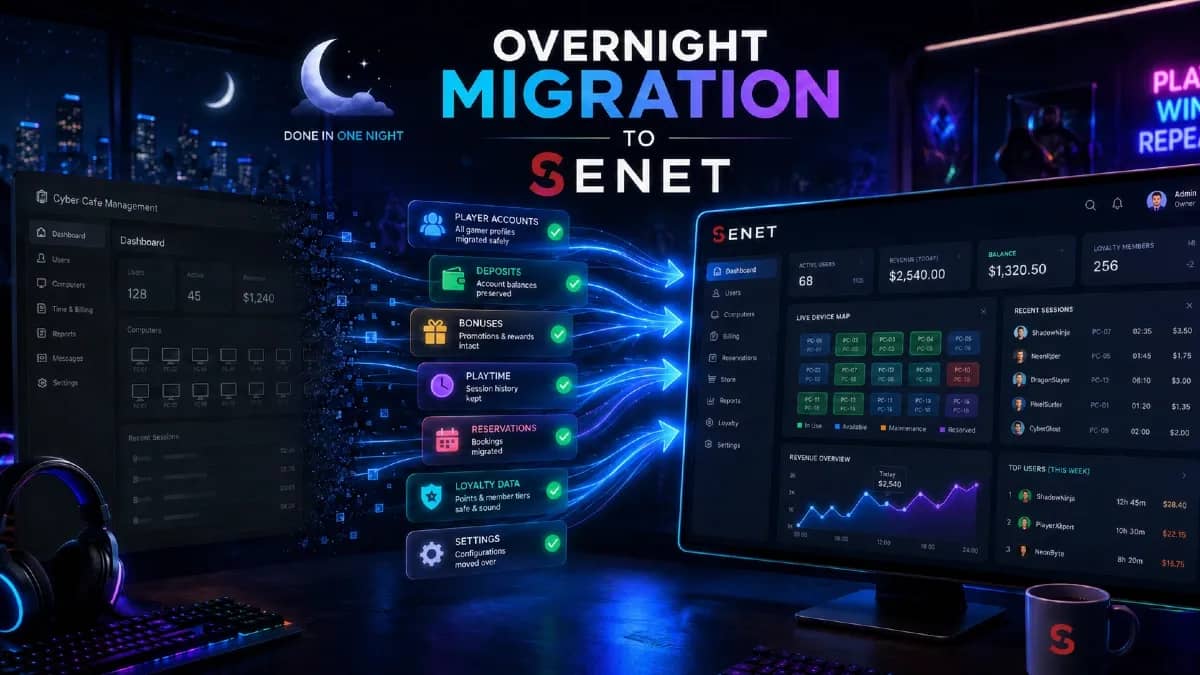
Customer accounts and prepaid balances. These are the core migration records. They can be imported when the required fields are present in the source file and match the agreed import structure. Balances are transferred as monetary values. Passwords are not migrated because secure systems store them as encrypted hashes rather than readable text. Some customers may therefore need to create a new password after the switch.
Reward credits and discounts. These can be transferred without loss when the rules in the existing platform match the way they are configured in SENET. When the logic differs, the migration team identifies what can be mapped directly and what must be recalculated.
Passes and active bookings. Remaining time, expiration dates, and usage rules are reviewed before migration. When there is no exact equivalent in the new system, the team creates an appropriate rate or time package in advance.
Customer activity statistics. Historical activity can be imported as total visits and cumulative session time for each customer. Before launch, the team confirms which metrics can be retained and how they will appear in SENET.
How We Prepare Your Customer Database
To complete the switch overnight without losing customer records, SENET reviews your database before the migration date.
You send an export from your current system. Our team checks the file, identifies what can be imported automatically, and flags anything that needs to be corrected or mapped in advance. This removes last-minute surprises during the overnight cutover.
The review covers:
- customer accounts, including possible duplicates by username, phone number, or email address;
- monetary balances, both in total and per customer, so the amounts reconcile before cutover;
- remaining passes, time packages, and reward credits;
- active bookings and expiration dates;
- visit and payment history;
- privacy consent and marketing communication preferences.
If information is incomplete or stored in an unusual format, we flag it early and explain what needs to be corrected. That is why SENET requests the export before migration night rather than during the cutover. Data preparation usually takes one to three business days, allowing the actual switch to remain clean and predictable.
For the operational checklist and overnight launch sequence, see our guide to preparing a gaming center for a software migration.
How to Switch to SENET
The process starts with a discovery call. A SENET specialist reviews how your gaming center operates, which platform you currently use, and which records need to be moved. The result is a migration plan built around your configuration.
Gaming centers switching from another management platform may qualify for:
- Three months of SENET free for gaming centers using local drives.
- Six months of SENET Boot free for diskless gaming centers.
- Priority support during the first 90 days.
Talk to our team to review your current software, confirm the migration scope, and determine the offer available for your gaming center.
Get My Migration Plan