.svg)

Payment systems in a gaming center do more than accept money from guests. For an owner, the more important question is what happens after the transaction: how a top-up is linked to the guest account, where the operation is recorded, and how much work staff still have to do manually.
When online payments, user balances, and financial records are managed separately, staff have to reconcile transactions and move information between systems. In a busy gaming center or a multi-location business, that takes time and increases the risk of errors.
SENET connects online payments with gaming center management. A guest pays through a connected payment provider, the successful transaction is reflected in the system, and the data becomes available for further tracking and reporting. Below, we follow the full payment flow from the moment a guest pays to the point where the owner sees the result in financial reports.
Which payment systems can a gaming center use?
SENET supports integrations with local and international payment providers. Depending on the market, available integrations include Stripe and Square, while the exact setup depends on the country and configuration of a specific gaming center.
For guests, the main benefit is straightforward: they can use a familiar online payment method without asking an administrator to process every balance top-up manually.
- Stripe is one of the international payment services supported by SENET for online payments.
- Square is also included among SENET payment integrations where the provider is available to the business.
- Apple Pay and Google Pay may be available through the connected payment provider where supported.
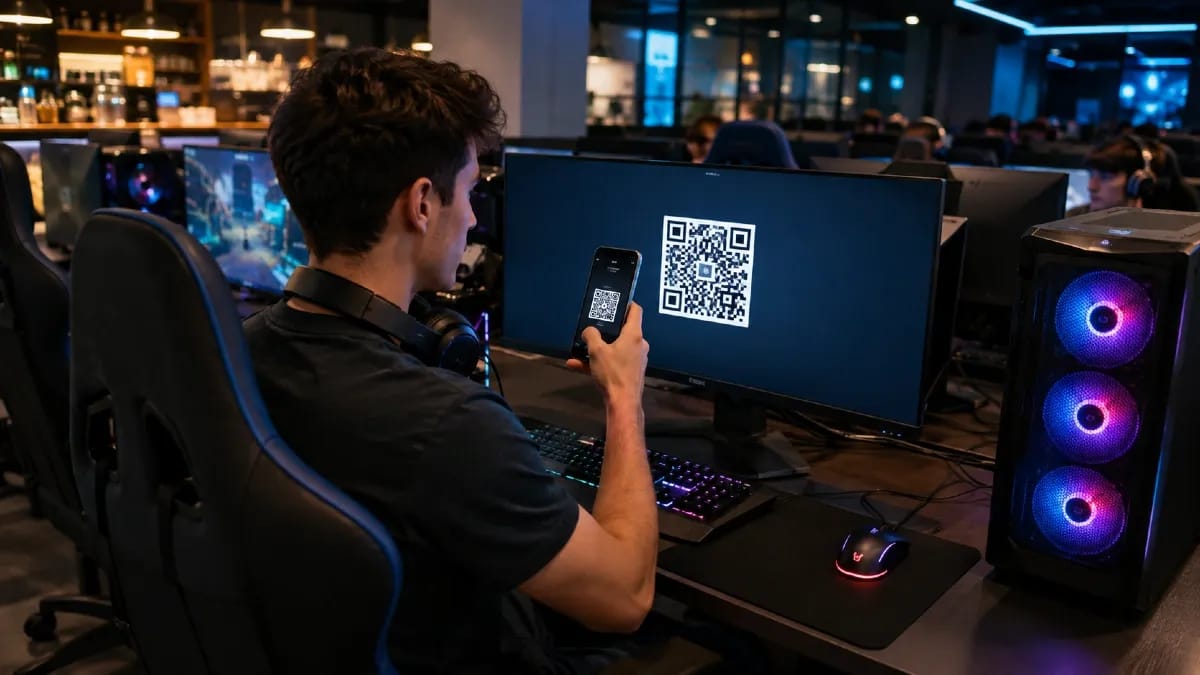
- QR payments allow a guest to scan a code with a smartphone and continue to the online payment flow without completing the transaction at the front desk.
When choosing a payment system for a gaming center, transaction fees are only part of the decision. It is equally important to understand how the payment connects to the venue management system.
If a payment exists separately from the guest account, a staff member may have to verify it manually and then credit the balance in the management software. Integrated SENET payment systems make online payments part of the regular operational workflow.
For a busy esports venue, the difference becomes especially noticeable during peak hours. The fewer standard top-ups staff have to handle manually, the more time they can spend on guests and day-to-day operations.
How does SENET automate payments and reporting?

Payment automation in SENET is built around self-service. Guests can top up their balance or pay for supported services through a connected payment system, while successful transactions are recorded without an administrator having to create every top-up manually.
The process can be divided into four steps:
- The guest chooses an online payment option. A gaming center can enable a QR-based payment flow on the Shell login screen.
- The guest pays from a smartphone. They scan the QR code and continue to the payment page provided by the connected service.
- The system receives confirmation of the transaction. After a successful online top-up, the corresponding amount becomes available on the user balance.
- The transaction remains available for review. The online payment appears in SENET reporting, where authorized staff can check it by user, date, amount, and other parameters.
Registered users also have access to self-service features through SENET ID. In the mobile app and web portal, guests can view and top up their balance, purchase passes, and book PCs or consoles when those options are enabled at the gaming center.
As a result, administrators do not need to participate in every routine transaction. For a gaming center with high guest traffic, this reduces repetitive front-desk work and allows visitors to move from payment to play faster.
Self-service does not mean losing control. Information about online transactions remains available to authorized staff in the administration panel.
How does payment data reach reports without manual entry?
After a successful online payment, transaction data is stored in SENET and becomes available in reporting. Staff do not need to copy each top-up from a payment provider dashboard into a separate spreadsheet or rely only on a screenshot from the guest.
Online transactions can be reviewed in Statistics → Online payments.
The report includes:
- user login;
- operation type;
- gaming center location;
- payment date;
- amount.
The data can be filtered by location, date, and operation type. It can also be exported for further analysis.
SENET provides additional reporting for user balance activity, allowing staff to distinguish between money added to a guest account and subsequent spending on products, services, or gaming time.
The payment journey therefore becomes clear:
guest payment → user balance → SENET transaction → reporting.
For a gaming center owner, this matters beyond checking individual transactions. When payments and operational data are available within the same management environment, it becomes easier to compare them with other business indicators and identify discrepancies.
An administrator works with individual transactions during a shift, while an owner managing several gaming centers needs a broader view across locations. The same payment does not have to be manually recreated in several independent tools simply to appear in internal reporting.
In other words, automation does not replace the payment provider that processes the financial transaction. It reduces the manual work surrounding that transaction inside the gaming center.
How do POS and cash-register integrations work?
SENET can work together with connected POS or cash-register software. In this setup, transaction data moves through the configured financial workflow between the gaming center management system and the relevant cash-register solution.
Where local rules require a fiscal receipt, payment data is passed to the connected cash-register system, which handles the required fiscalization.
This keeps the responsibilities of the systems separate. SENET connects payments with guest accounts, venue operations, and reporting, while the fiscal process is handled by the connected cash-register solution.
SENET lists Checkbox among its cash-register integrations. For gaming centers in the US, Europe, or other markets, the specific POS or cash-register software and the required data flow depend on the venue’s local setup.
Can SENET be integrated with a POS or cash-register system?
Yes. SENET supports integration scenarios in which transaction or sales data can be passed between the gaming center management system and connected POS or cash-register software.
Before setup, the gaming center should determine which operations need to be transferred and which parameters are required by the connected system. This helps create a consistent process between online payments, internal reporting, and the venue’s existing financial infrastructure.
How can an owner monitor gaming center finances in one place?
SENET financial analytics allow an owner to work not only with individual payments but also with broader operating indicators for a selected period.
The Dashboard includes data on income, popular passes, shop sales, user activity, and gaming workstation performance.
For regular financial control, an owner can use:
- the Online payments report;
- user balance activity;
- income data;
- sales statistics;
- average shop check.
The distinction between these indicators matters. The average check shown in the Dashboard applies specifically to the Shop. It is calculated by dividing the total value of goods sold by the number of sales receipts for the selected period.
Income is a broader indicator and can be viewed alongside other operational metrics to evaluate the performance of a specific location.
For a network of gaming centers, this type of reporting is particularly useful when comparing venues.
For example, if one esports venue generates less income than other locations, the owner does not have to stop at the final figure. They can compare it with workstation activity, service demand, and sales to understand where the difference may be coming from.
In this scenario, financial analytics become a management tool rather than simply an archive of completed transactions. Decisions can be based on actual performance indicators instead of intuition alone.
How much does a payment integration cost?
The cost of setting up an integration and transaction processing fees are separate expenses.
SENET charges a one-time setup fee for configuring integrations. Third-party services, including payment providers, use their own transaction and service fees.
For example, if a guest makes a $5 top-up, the processing fee depends on the terms of the connected provider, such as Stripe or Square. It is not determined by the SENET subscription price.
In most cases, gaming center staff do not need to configure the technical integration themselves. The venue provides the required payment account information, and the SENET team handles the necessary setup.
What changes in payments after switching to SENET?
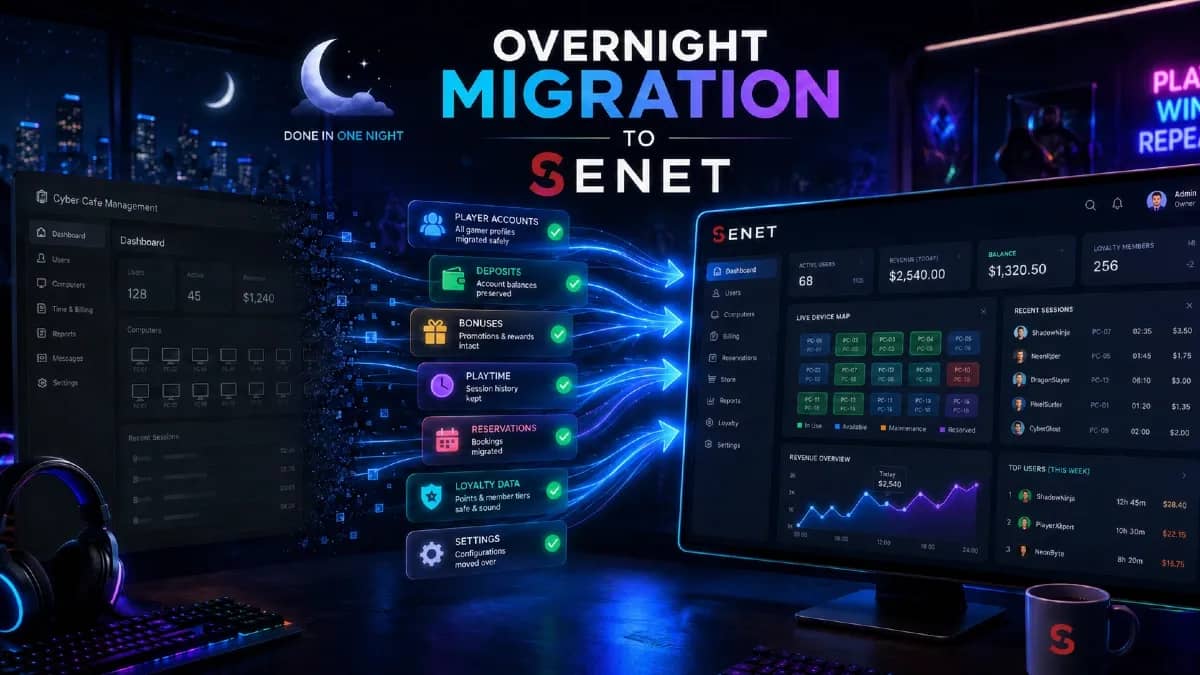
Switching management software is an opportunity not only to move existing settings but also to remove manual steps from the payment workflow.
If staff currently have to verify a payment separately, credit a guest balance, and then reconcile the transaction later, those processes can be connected within SENET after the switch.
An online payment is recorded in the system, the top-up appears on the user balance, and transaction data becomes available in reporting. Guests can use supported online payment options themselves, reducing the number of routine operations staff need to verify manually.
The way the owner monitors payments changes as well. Instead of working with separate transfers, staff notes, and end-of-shift reconciliation, the venue gets a more consistent path from the guest’s payment to the data visible in the management system.
This means a software migration can be used as a point to redesign the gaming center’s payment workflow rather than simply replace one management interface with another.
If the current software does not connect online payments, guest balances, and reporting in one workflow, you can switch to SENET without shutting down your gaming center and configure online payments as part of the new setup.